
Internal order-processing & fulfillment platform
How I designed and vibe-coded a platform for a Japanese-goods e-commerce brand
Project Snapshot
Role: Product designer
Industry: B2B SaaS – Internal order-processing & fulfillment platform
Timeline: 15 days (fast-paced iteration including development)
My Role: Product design, AI-assisted development (front-end, back-end, dev-ops), QA
Users: Business owner, customer support agent, and logistics personnel
The problem
The business was growing fast, but its process wasn’t. New staff joined, but orders were still tracked in spreadsheets and chat messages. Orders got lost. Payments went untracked. Items shipped wrong. A system built for one person broke down under a team.
My Role
I was hired to build a simple invoice tool. Early research showed a bigger issue: no clear system connected orders, payments, and shipping. I convinced the owner to let me fix the whole workflow instead of one piece.
Key Outcomes
- Designed, developed, debugged, and deployed the MVP in 15 days using AI-assisted vibe coding
- Automating admin work freed the owners’ time for marketing, which drove more order and revenue growth.
- Confirmed orders grew from an average of 168/month to 675/month, a 4x increase
- Delivered 512 orders in the first full month after the logistics feature launched
- Grew net income by 56.7% (post-launch vs. pre-launch monthly average)

Discovery
The unconventional e-commerce
The shop sells rare Japanese items via deposit + balance-on-arrival, so marketing drives the business instead of stock management. Company uses Facebook (customer discovery), Messenger (orders, payments, delivery, and Google sheets to facilitate business. I was hired to automate invoicing, but chose to observe the owner’s actual workflow in real time rather than interview, which surfaced problems an interview alone would’ve missed.
I was contracted to automate their invoicing process, since it was the most time-intensive part of their workflow.
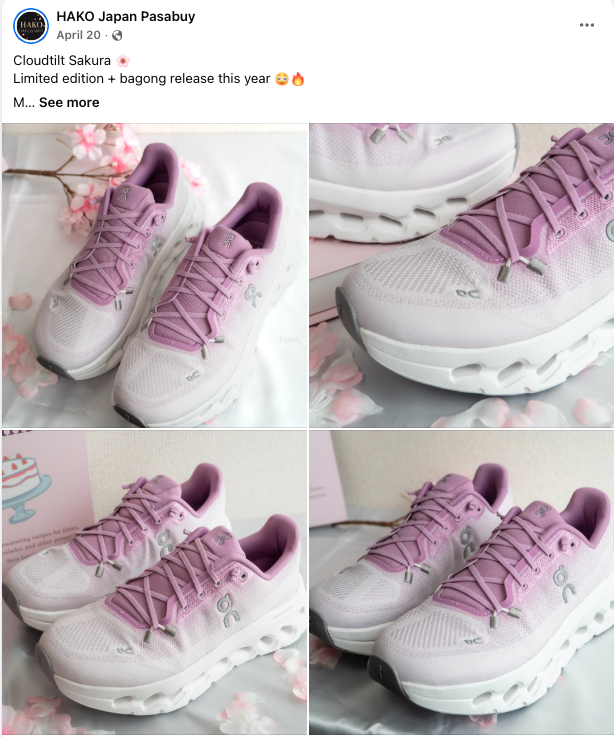

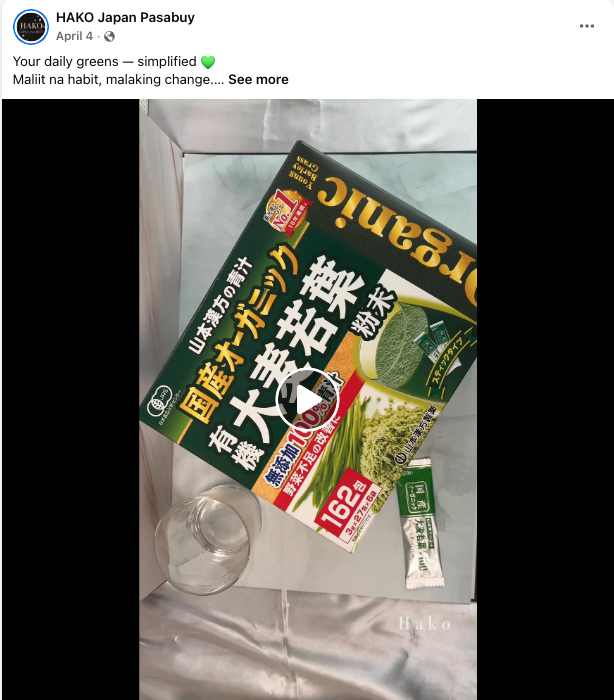
Contextual Inquiry
Since the business model is uncommon, I conducted a contextual inquiry session, sitting alongside the owner and watching them work through their actual process in real time, rather than asking them to describe it from memory. This surfaced workflow gaps that wouldn’t have been visible in a standard interview.
Key UX Problems Identified
The spreadsheet was the single source of truth, which made it a single point of failure.
Order processing time took agents 10–15 minutes.
All order data was visible to every agent and logistics staffer, whether or not they needed it.
Design Strategy
Rethinking the scope
Fixing invoicing alone wouldn’t solve the real problem: one shared spreadsheet, open to mistakes, accidental deletions, and unauthorized edits. I recommended building a full connected platform instead of patching just the invoicing.
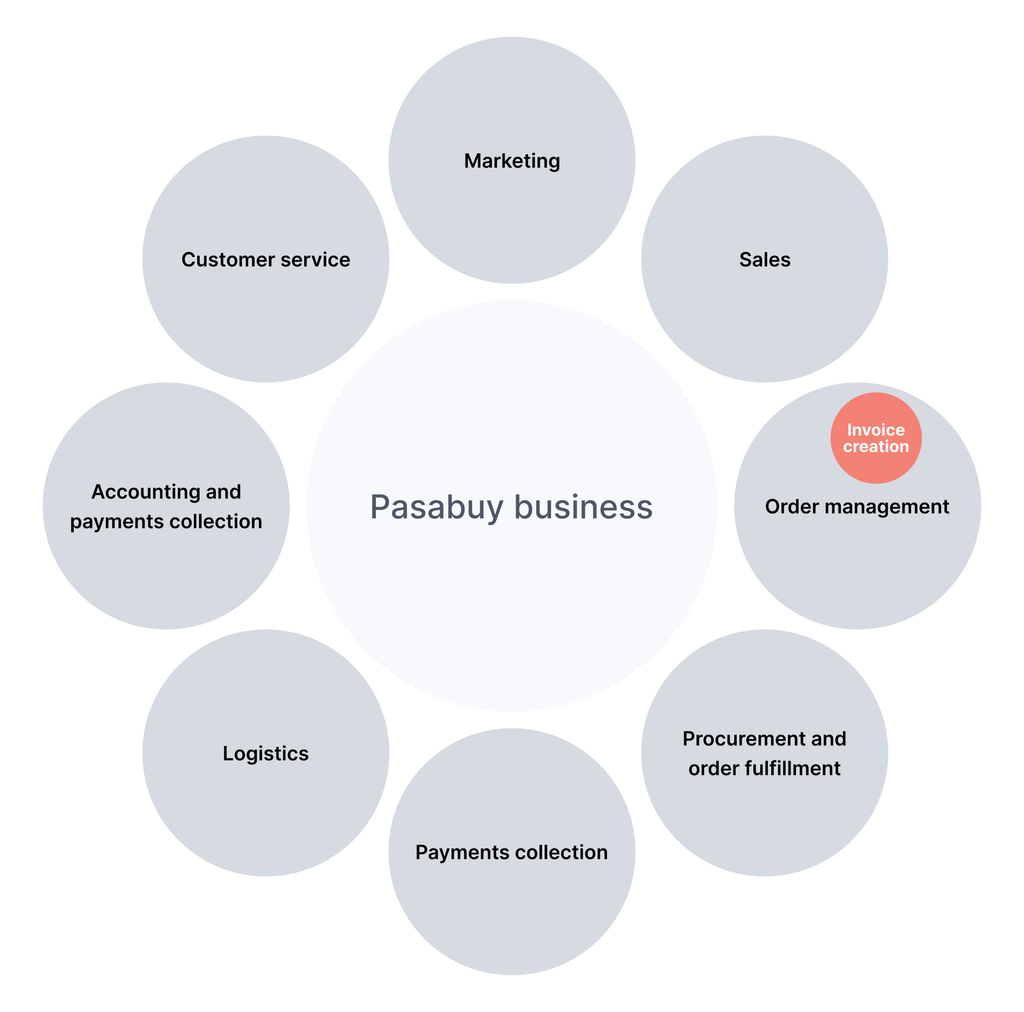
Workflow Mapping
Based on the interview, I mapped out their existing workflow to identify where it could be streamlined. This map became my blueprint for the information architecture, the actual screens, and the prompts I used to guide the AI-assisted build.

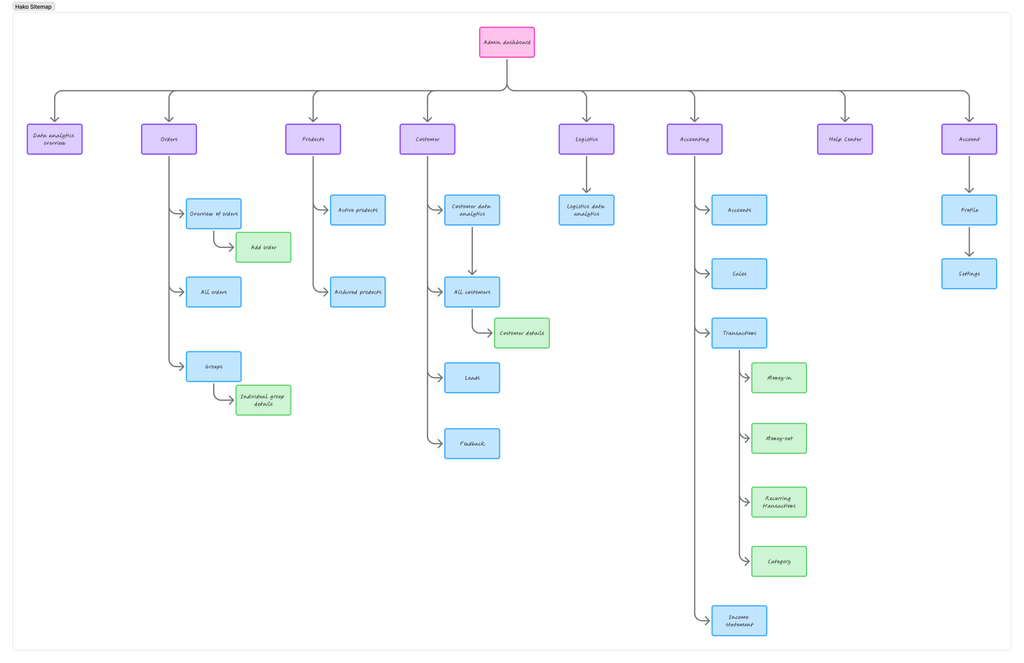
Sitemap
Before wireframing, I mapped out a sitemap to cover all of the processes of the business, laying out the screen hierarchy so I knew what pages existed and how they connected before designing any of them.
Wireframes
I started with low-fi wireframe sketches to test the layout and flow quickly, without getting stuck on visual details. Once the structure worked, I built those out into full wireframes in Figma.
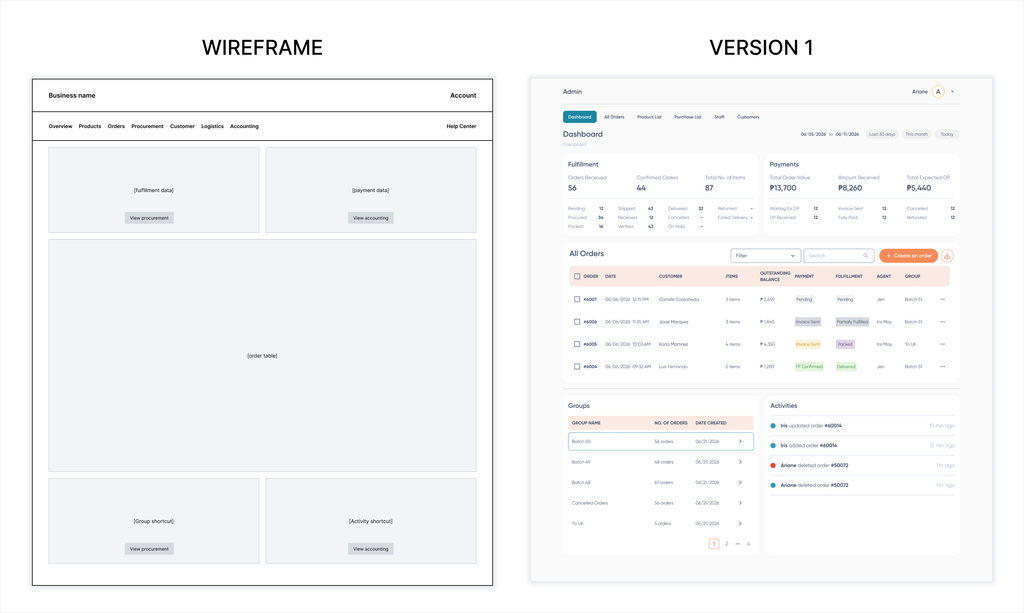
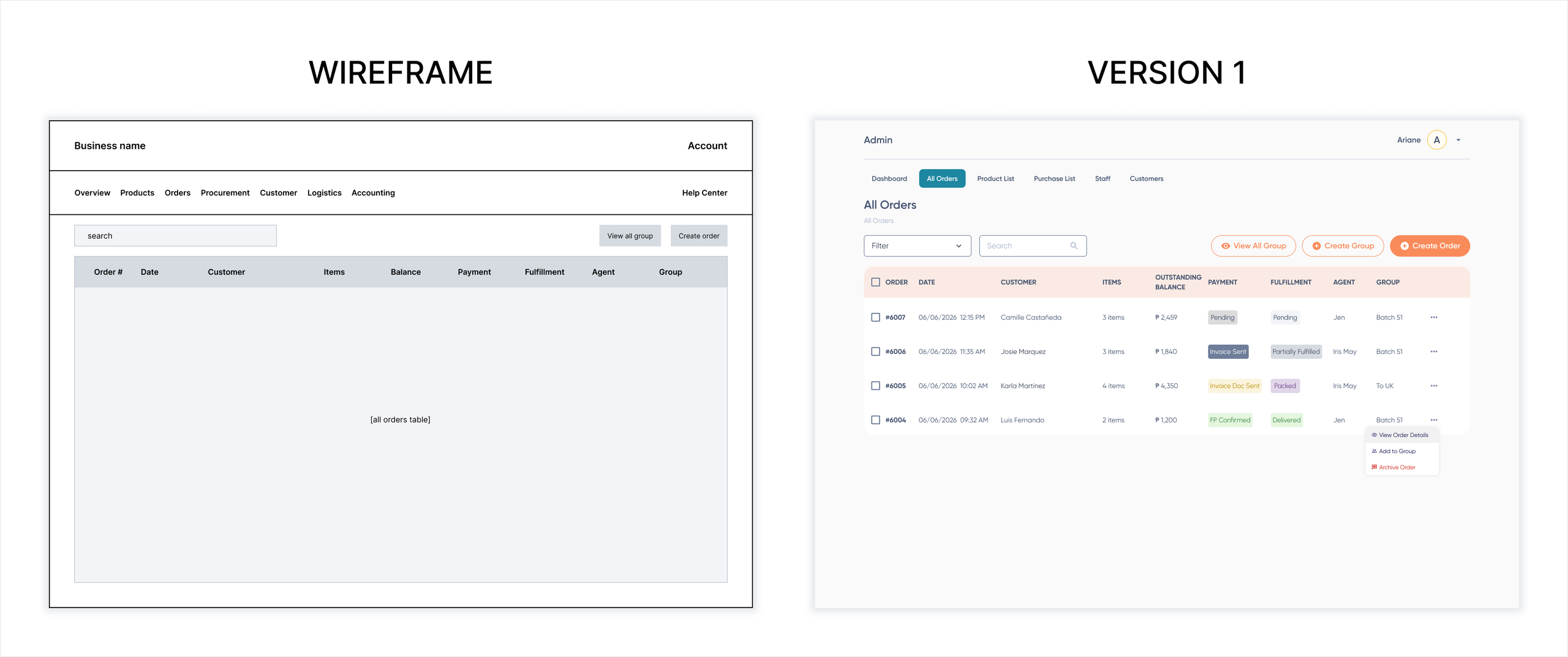
Testing
The initial design was tested for a week. I collected feedback on everything from functionality to UI, and accommodated feature requests as they came in. That first round shaped a version 2 built around what users actually needed.
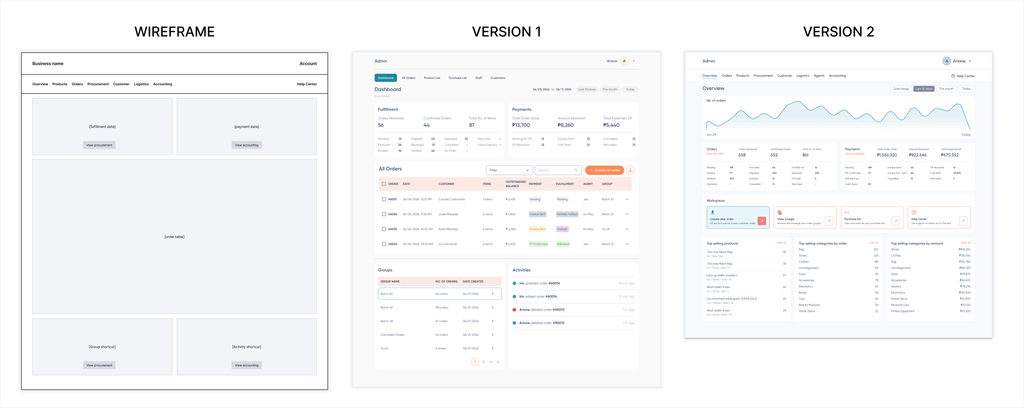
Rolling Out Version 2
Once version 2 was validated, I cascaded those design changes across the rest of the pages.
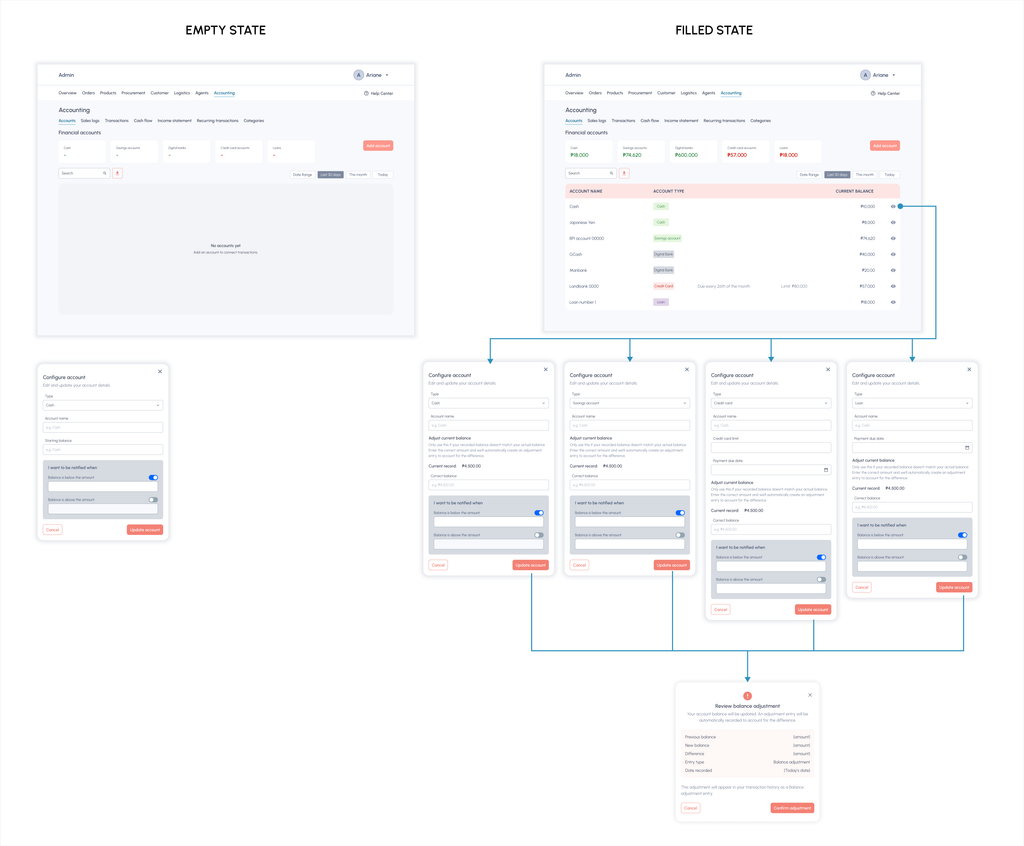
Version 1 taught me where I’d wasted time going back and forth with the AI, so for the rollout I fed it wireflows that include empty states and negative scenarios, and added annotations that directly communicates with AI through Figma’s MCP integration. Removing the back and forth cut both token usage and the number of correction rounds needed to get each page right.
High fidelity screens
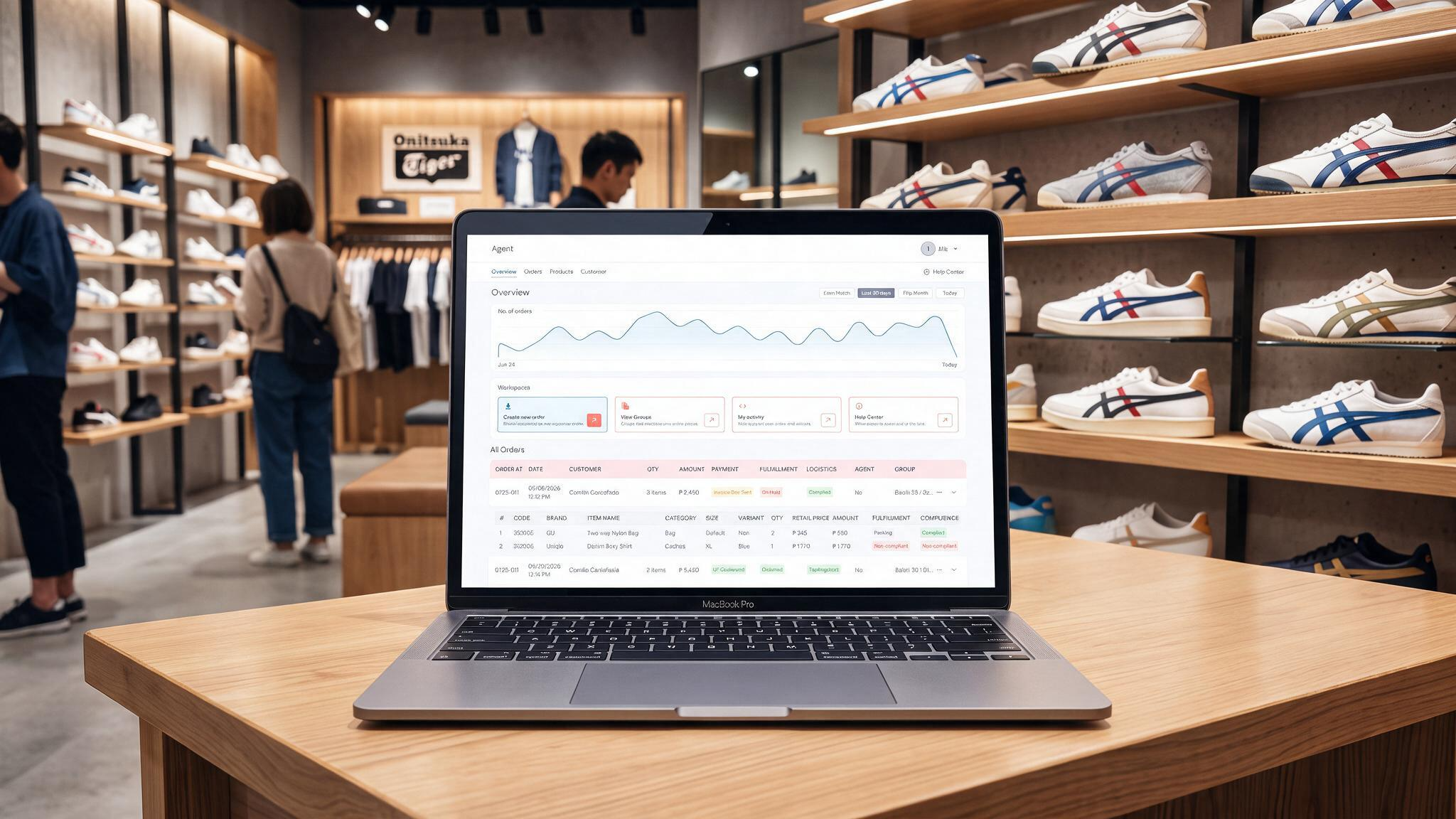
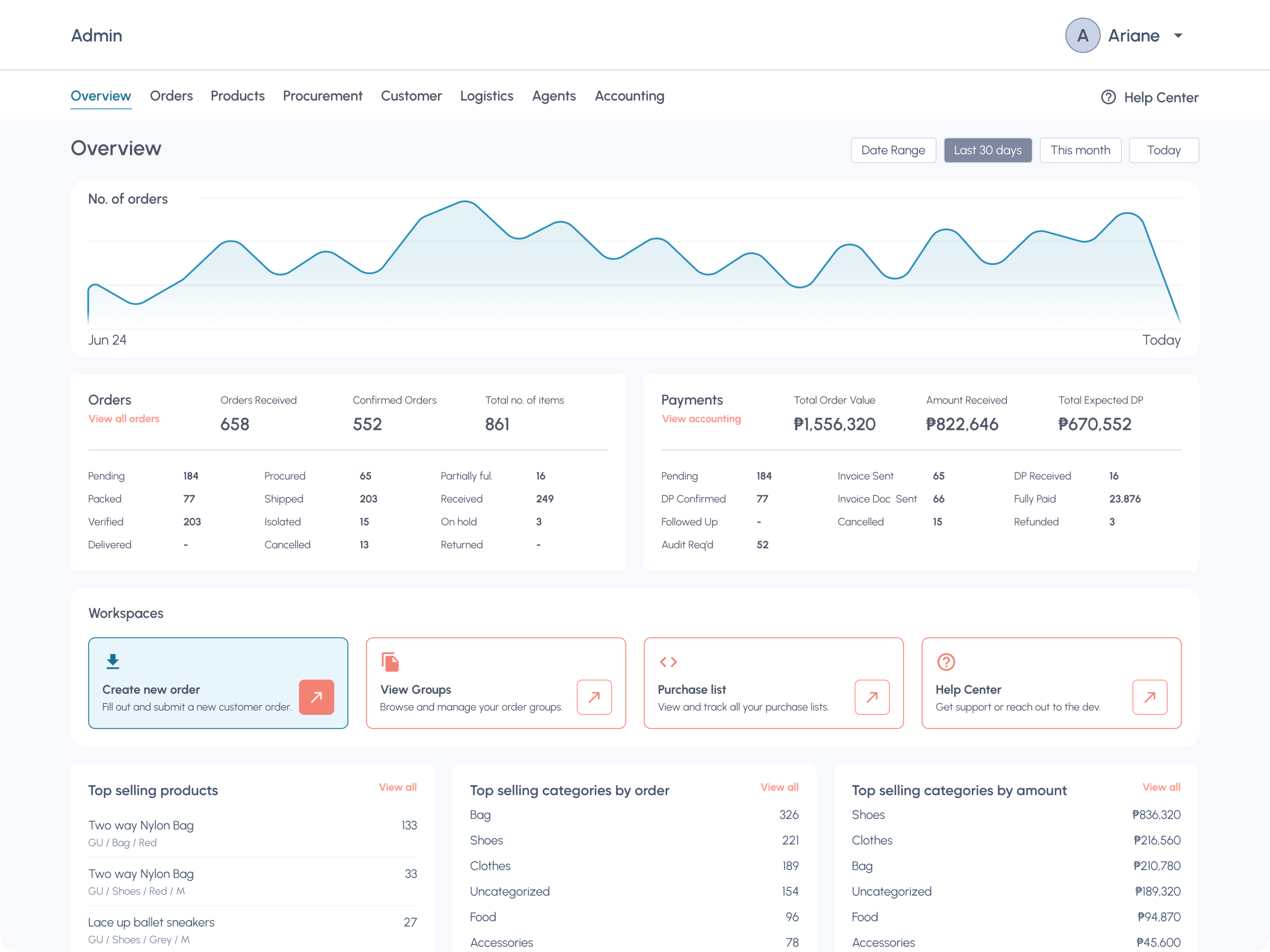
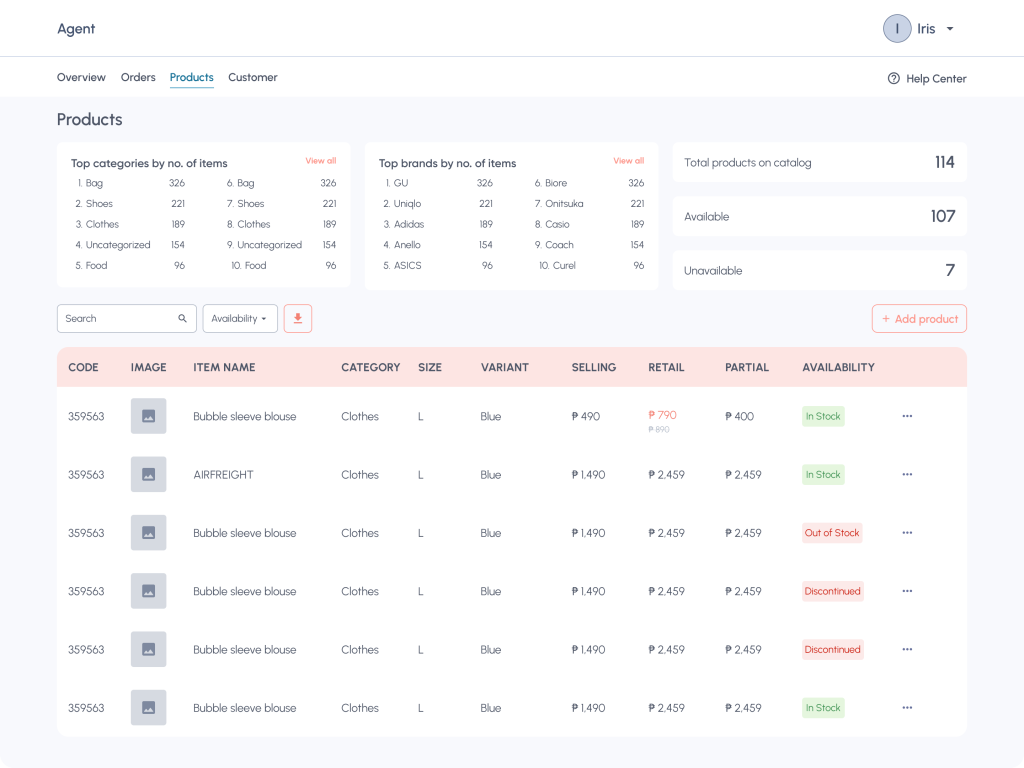
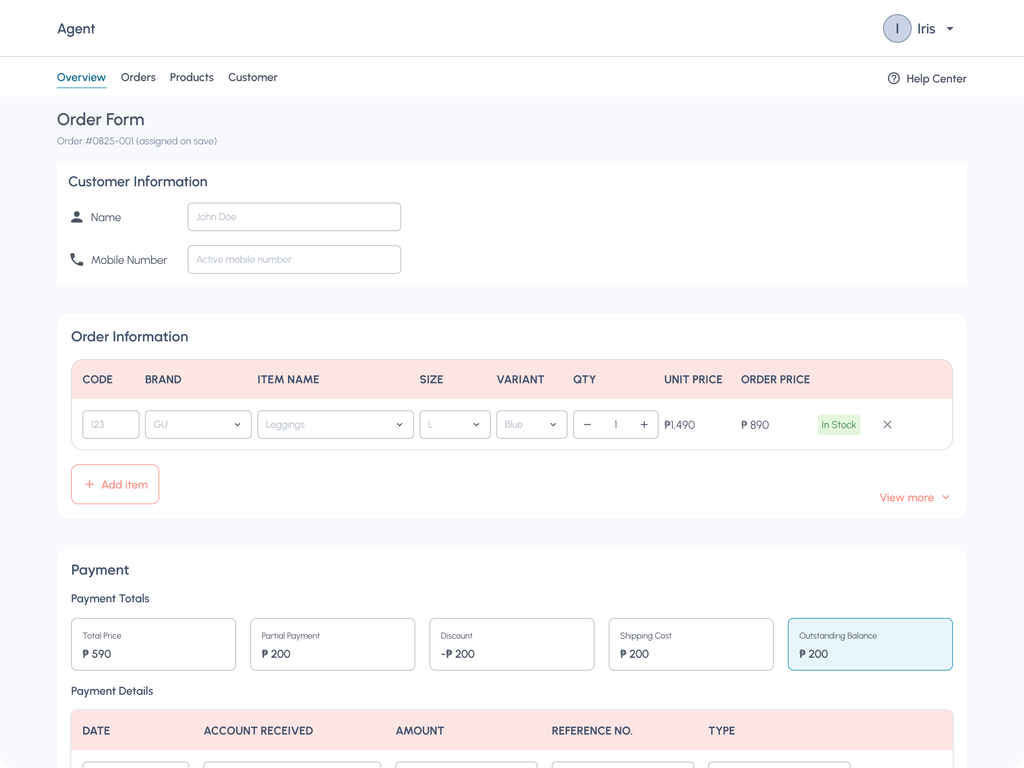
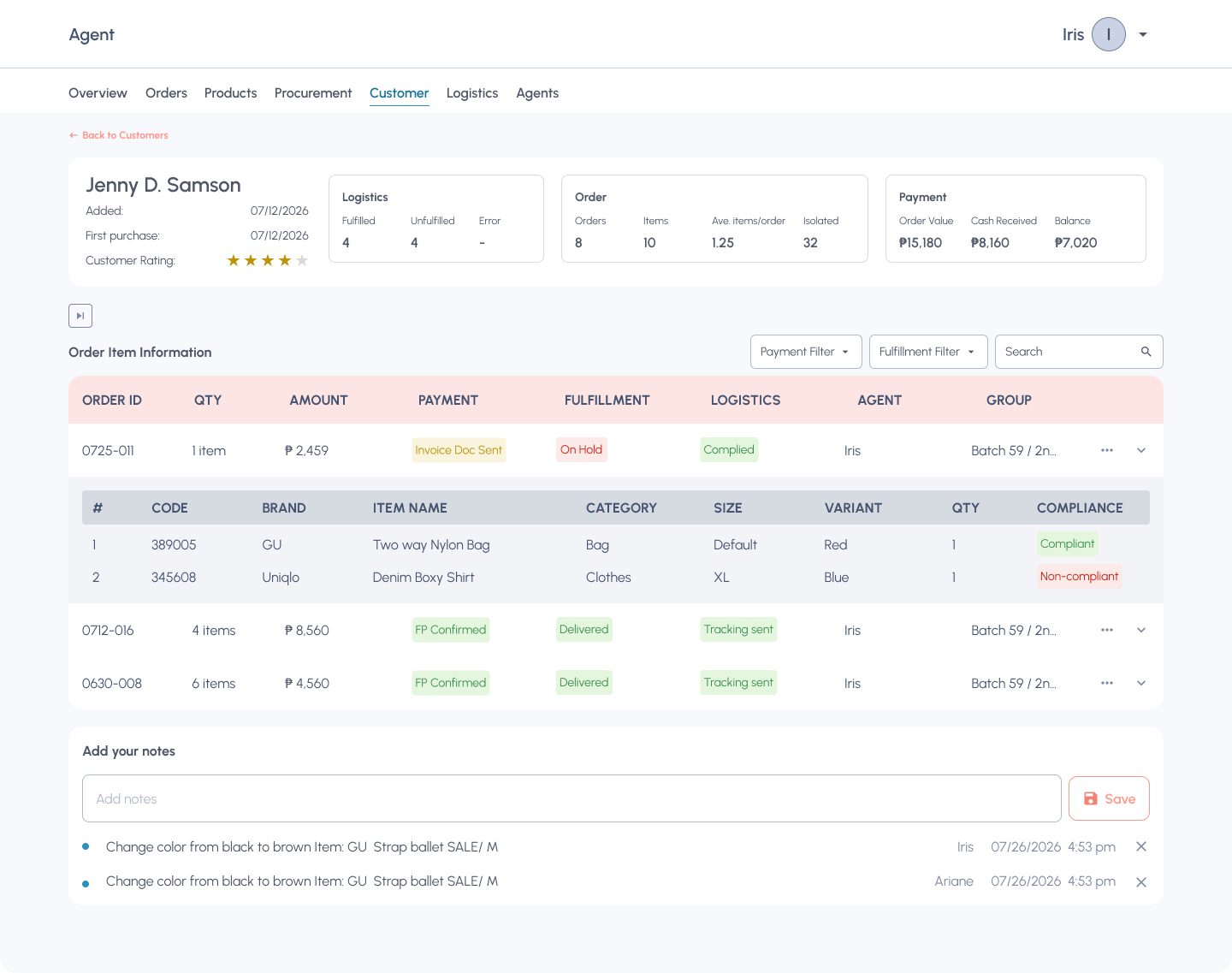
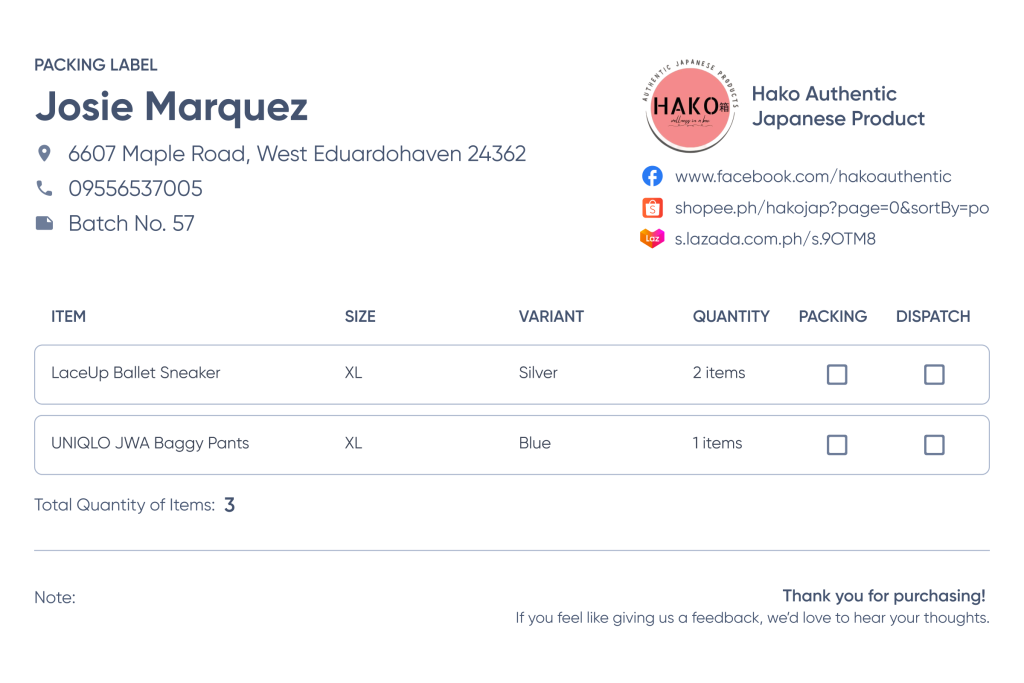
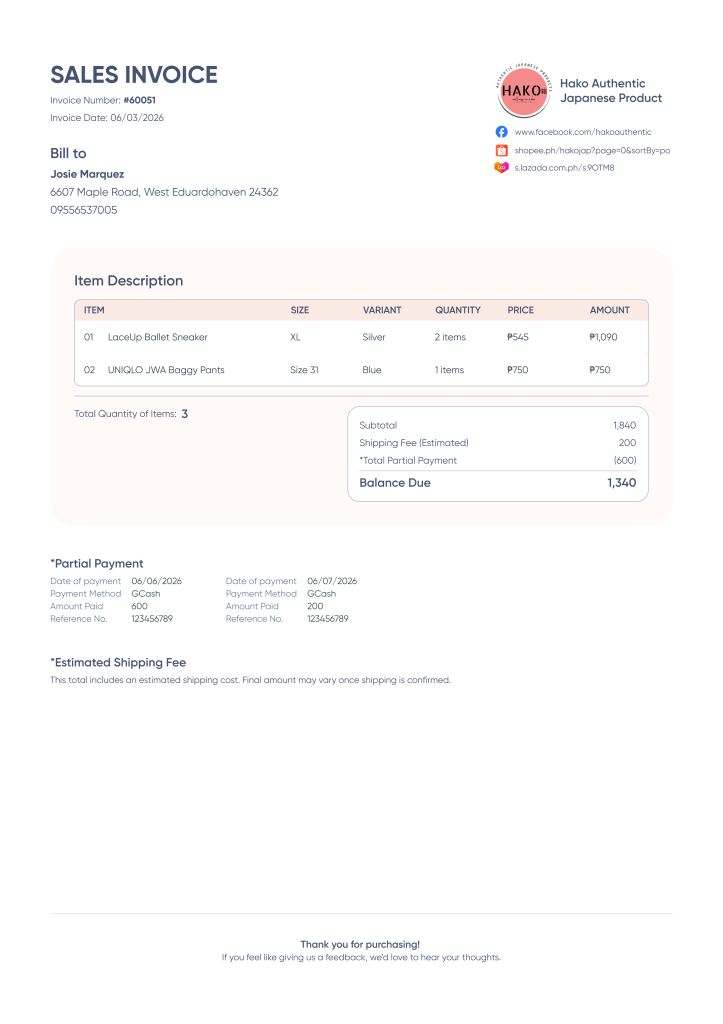
Labels and invoices that used to take the admin, customer service, and logistics hours to produce is now auto generated accurately in less than 5 minutes.
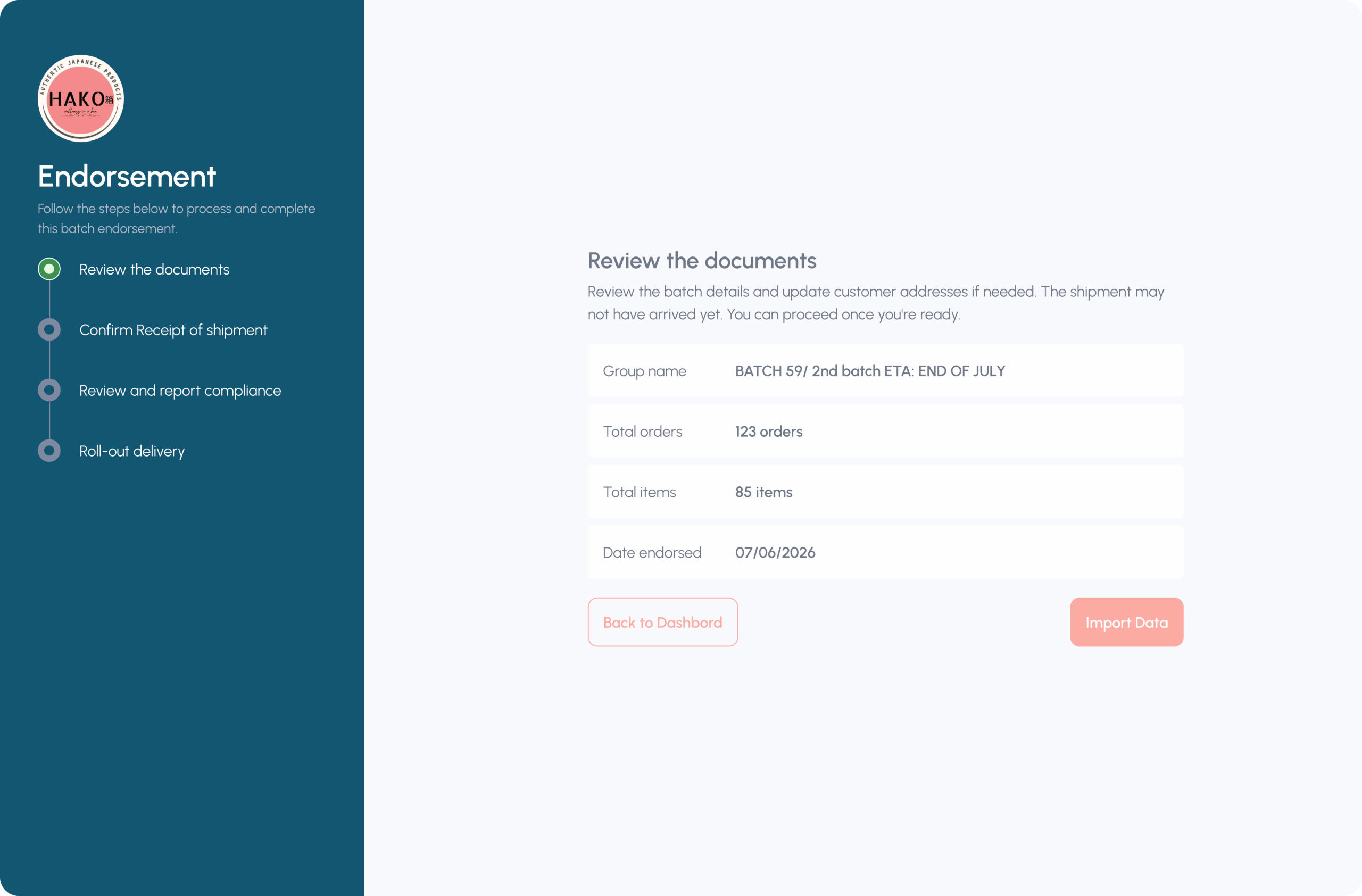
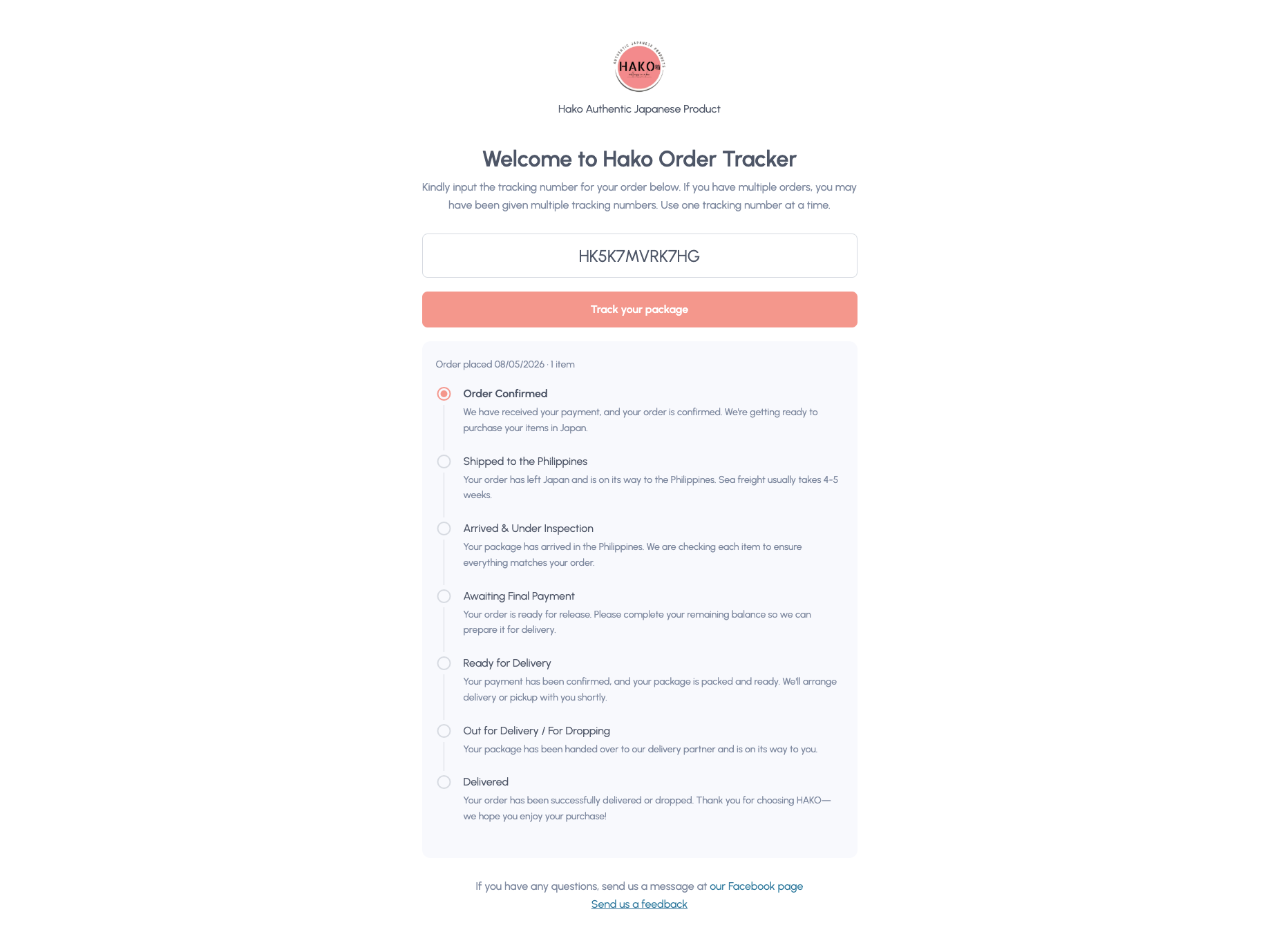
A pasabuy business is built on customer trust. To reinforce this, customers are proactively informed of their order status as soon as payment is received, eliminating the need for “Where is my order?” enquiries that place unnecessary strain on the customer service team. This approach not only reduces support overhead but also strengthens the trust customers place in the business.
AI-assisted coding
I drafted a working document laying out the intent behind the app, what it was and wasn’t meant to do, then enumerated each screen with its expected functionality, including both happy-path and sad-path scenarios.
I used a prompt to translate this draft into a formal Product Requirements Document, referencing the workflow map to show expected behavior and feeding in the design system and UI wireframes as visual references.
After a few rounds of back-and-forth, the app was live on localhost for testing.
Debugging
The initial build was still full of bugs. As a debugging discipline, I worked through the system role by role, starting with the agent account, then admin, then logistics.
Early debugging passes covered a lot of ground, so for each issue I explained which part of the flow was faulty and what my intended behavior was. I used AI to help package this into a structured QA document, and feed it to AI as follows:
Use the attached document as your reference for the changes. Before making any edits, ask me clarifying questions until you're 100% certain of the intended direction.
As bugs became fewer and more minor, I used the following formula to hyper-focus on a single element or feature at a time.
[account]->[screen name]->[element]

1 [Current behavior]
2 [Intended behavior]
For example:
Agent account - Overview page - Create an order button
1 Clicking the button redirects to a 404 error page
2 Clicking the button should redirect to a blank Order Form page
For context, I was using Claude Sonnet 4.6. Even though I’d fed it my design system, it still defaulted to plain Tailwind styling on some elements, making the initial build visually inconsistent with my design.
This was a minor annoyance rather than a blocker, so for the first pass, I intentionally prioritized functionality over UI polish and planned to reconcile the visual details later.
Code review
II reviewed a prompt from a fellow vibe coder, checking it for prompt injection risks and structuring it around four review criteria: security, correctness, performance, and maintainability. I set this as the AI’s standing reference for whenever I asked for a code review going forward.
The first round of code review actually broke some elements, making them unusable so I ran additional rounds of QA and debugging to recover. Since then, I’ve made code review a standard step whenever major changes are applied.
Deployment
Still with AI’s help, I used GitHub, Supabase, and Vercel to take the app from local to live. The MVP launched within 15 days, ready for the business to start using.
In the first few days after launch, I set expectations with the users upfront that bugs were expected, and I asked them to report anything they ran into. Those early days were spent on bug fixes and refinements, alongside smaller feature additions the owner requested along the way.
By two weeks post-launch, the app was fully operational with no new bugs surfacing.




Outcomes & Impact
Agents
- Order processing time dropped from the average of 10 minutes to 3 minutes per order.
- Agents have a monthly quota of 60 orders to qualify for commission. With the app, one agent cleared her quota including a backlog of unprocessed orders within 2 days.
- Automated invoicing, order enumeration, and in-app recording eliminated the intake, computation, and recording errors that used to cost the business money. Mistakes from human judgment, like picking the wrong item or variant, or mixing up orders, still happen and are outside what the platform can fix.
- The owner can now accurately track each agent’s fulfilled orders, so commissions are calculated and paid correctly, with zero disputes.
Overall operations
- Freed the owners’ time from day-to-day admin tasks. That reclaimed time went into marketing and fulfillment which directly attracted more customers.
- Orders are now verified through an invoice before any payment is made, cutting order-intake mistakes to near zero.
- Payment tracking is streamlined, with payments monitored and verified before delivery.
- Procurement is tracked end-to-end, preventing mistakes in quantity, size, and variety.
- Fulfillment status is tracked at every stage, visible to all users.
Logistics
- The team can trust the records they’re working from, without double-checking for errors which gave them more time for item verification.
- They’re notified immediately when an order is fully paid and ready to ship.
- Sending tracking numbers to customers is fast and straightforward.
- Real-time status updates eliminated the need for manual reporting. Shift handovers are now seamless. The lengthy handover report has been eliminated entirely.
- The team’s focus has shifted from status-chasing to quality control: verifying item accuracy and shipment details.
Reflection & Learnings
Before building Hako, the owner had tried QuickBooks, Notion, Shopify, WooCommerce, and ClickUp. Each demanded enough time to learn that it competed with actually running the business, and even after the effort, the owner was left reshaping their workflow around the tool rather than the other way around, and paying for software that still didn’t cover their full process end to end. The owner then reverted to the simple, free, and reliable tool – the Google Sheets.
That cycle is exactly what AI-assisted development can now break. Unconventional, workflow-specific businesses no longer have to force-fit themselves into generic software, they can have a tool built around how they actually work.
I think this is where the industry is heading: custom app-building will keep getting more accessible, and more of these tools will emerge. When that happens, the differentiator won’t be who can ship an app but it’ll be who ships the better experience. UX becomes the real competitive edge.