
Customer Service Dashboard Design
How I redesigned a high-traffic internal support dashboard to improve agent efficiency and multitasking
Project Snapshot
Role: Sole UI/UX Designer
Industry: B2B SaaS — Internal customer support ticketing dashboard
Timeline: 4 weeks (fast-paced iteration)
Users: Customer support agents handling multiple customer complaints and inquiry tickets simultaneously
The problem
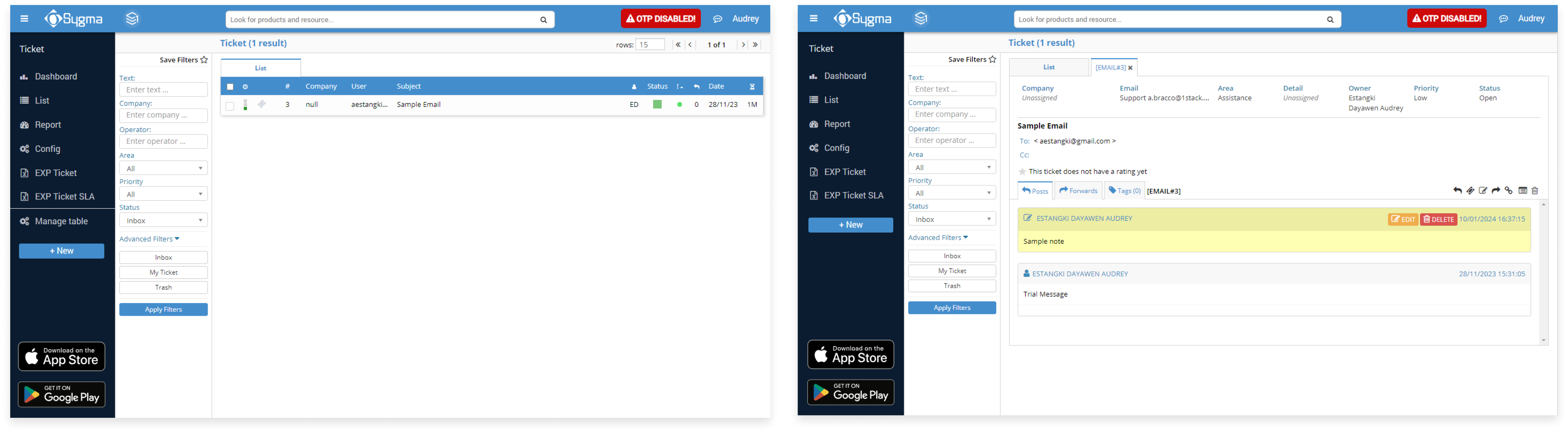
The company had an existing internal ticketing tool used daily by customer support agents. While the system was feature-complete from a technical standpoint, agents were still struggling to work efficiently.
My Responsibilities
Helped internal support agents resolve tickets faster and multitask more effectively by redesigning a confusing legacy dashboard.
- User research (interviews, shadowing, synthesis)
- UX strategy and information architecture
- Wireframing and UI design
- Design handoff and collaboration with development
Key Outcomes
- Faster ticket resolution through improved information hierarchy
- Increased agent throughput via tab-based multitasking
- Reduced cognitive load and handling errors
- Improved internal communication and documentation
- Scalable UI patterns supporting future feature expansion
Users & Research
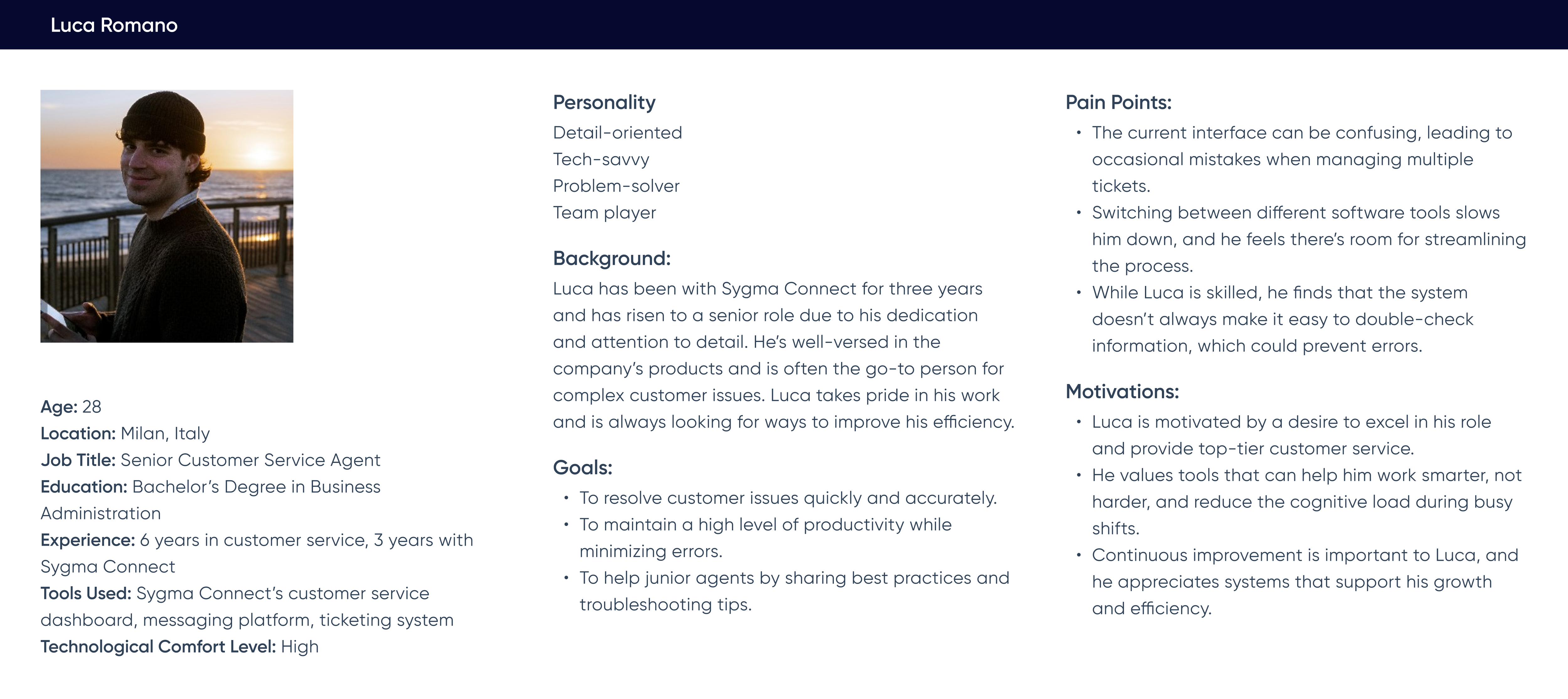
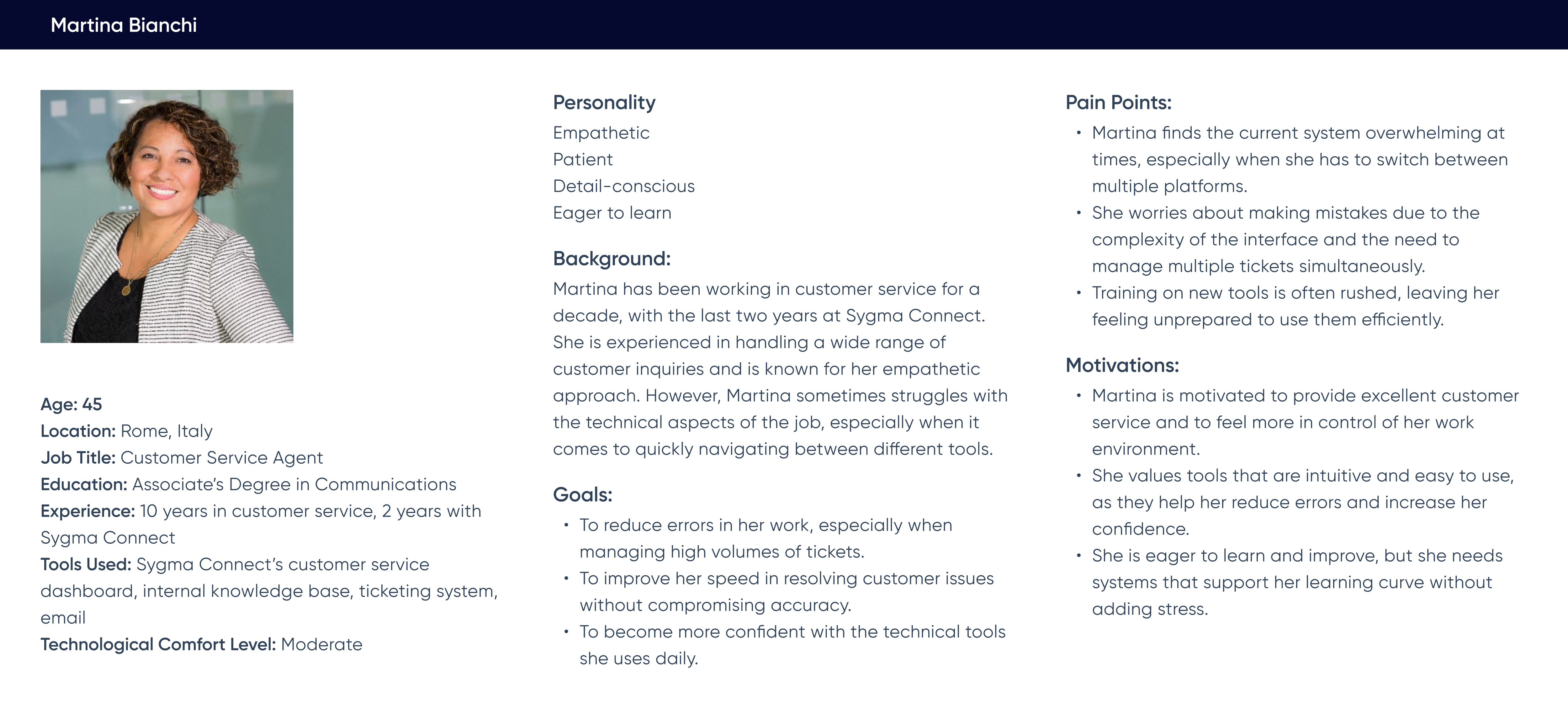
User Persona: Customer support agents using the dashboard continuously throughout their shifts while handling multiple inquiries under time pressure.
Research Methods
To inform design decisions, I conducted contextual interviews combined with live workflow walkthroughs.
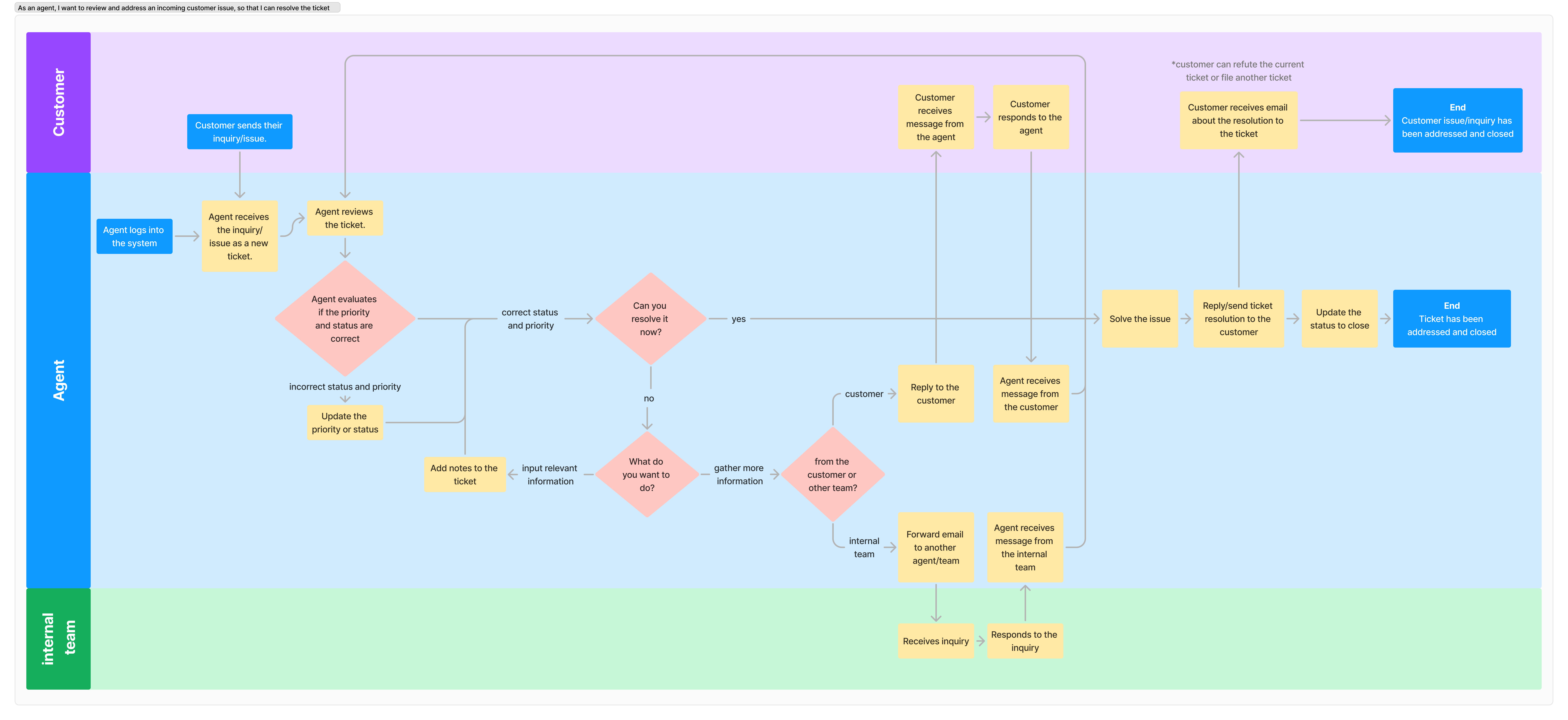
During these sessions, agents walked me through their end-to-end ticket handling process in real time. I observed how they navigated the dashboard while asking targeted questions about:
- Workflow pain points and breakdowns
- Expectations from the tool
- Success metrics used to evaluate performance

Insights from interviews were synthesized alongside behavioral observations using an affinity-based approach. I then intentionally scoped out issues that were outside the influence of UI/UX design (e.g., process inconsistencies, internal jargon), enabling a sharper focus on interface-level interventions.
The remaining issues were documented as individual insights and mapped directly onto screenshots of the existing interface.
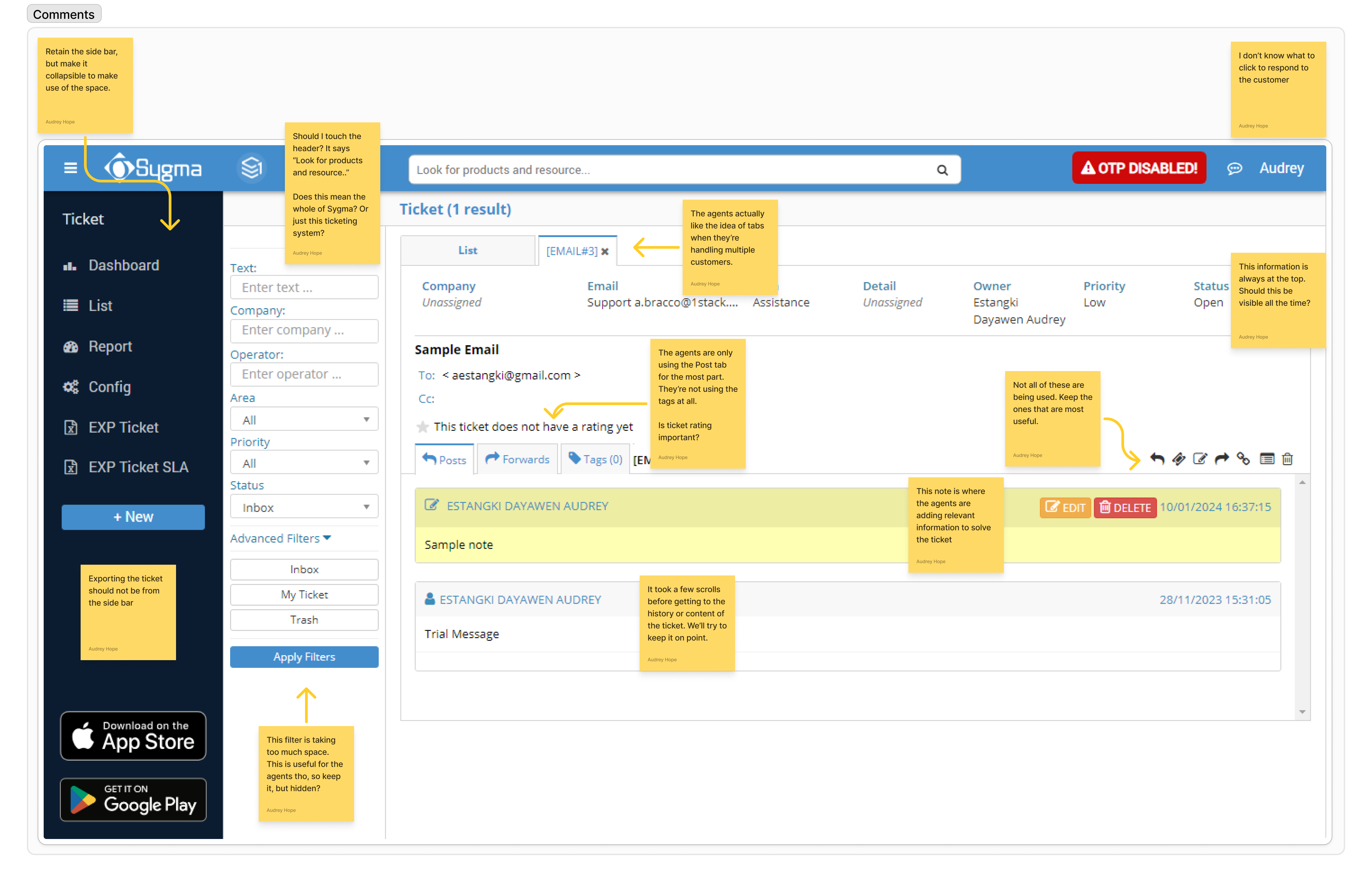
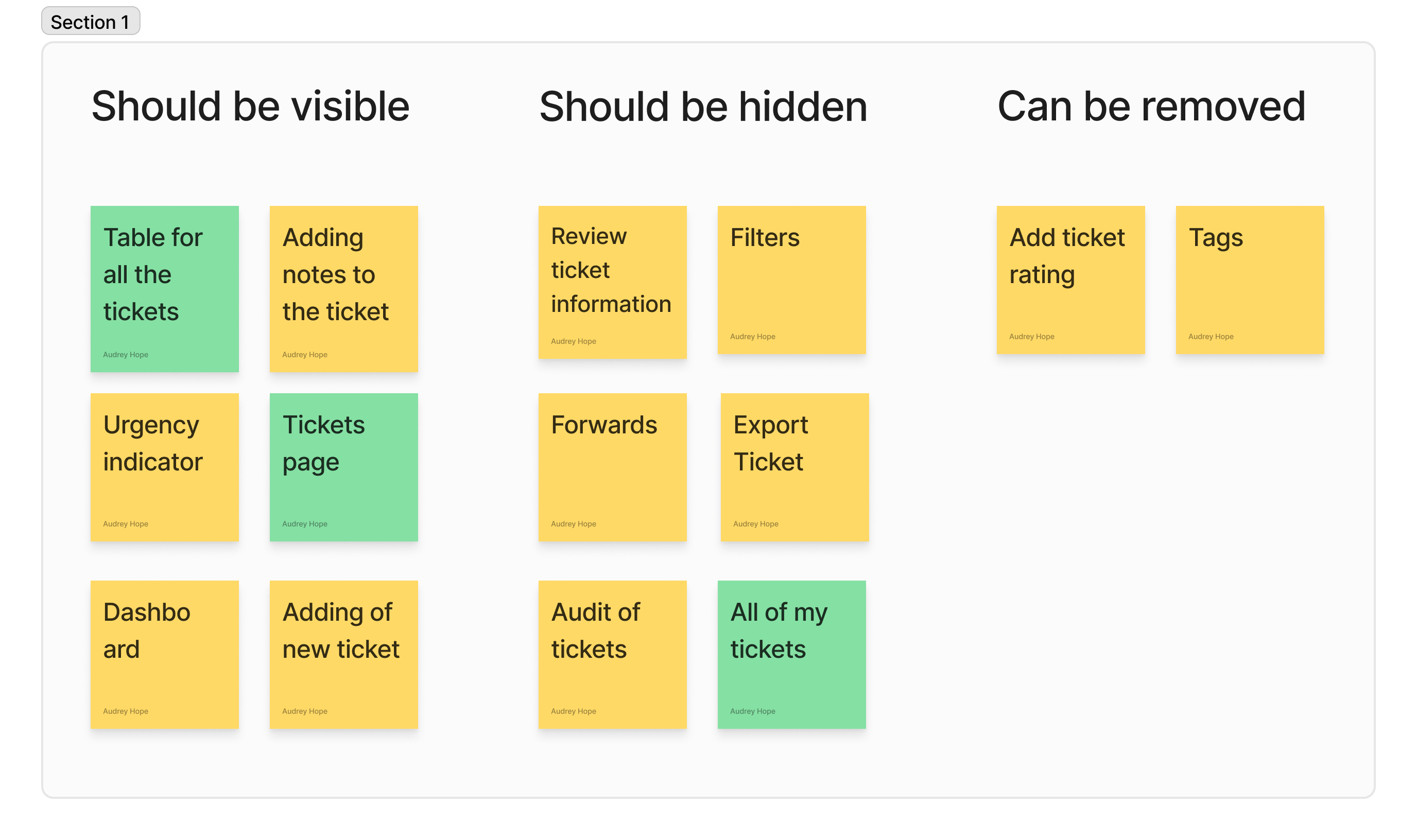
I then grouped these insights based on their appropriate level of visibility in the UI:
- Primary actions that should be immediately visible
- Secondary actions that could be progressively disclosed
- Low-value or redundant elements that could be deprioritized or removed
Key UX Problems Identified
Important actions and information were visually buried
Frequently used features were harder to access than less-used ones
The interface lacked a clear hierarchy to support multitasking workflows
Constraints & Trade-offs
A critical constraint was user familiarity. Agents explicitly requested:
- No drastic workflow changes
- Core features to remain in familiar locations
As a result, the redesign focused on decluttering and hierarchy improvements rather than relocating or reinventing workflows. This required a constraint-driven approach that balanced usability improvements with minimal disruption to existing mental models.
Design Strategy
Based on research insights, I focused on improving efficiency through layout, hierarchy, and interaction patterns rather than adding new functionality.
Information Architecture
- Elevated high-frequency actions and critical information
- Grouped related features to improve scannability
- Demoted low-frequency actions using progressive disclosure
Interaction & Layout Decisions
- Introduced expandable sections to reduce visual noise and cognitive load
- Designed tab-based workflows to enable efficient multitasking across tickets
- Maintained the workflow to minimize relearning
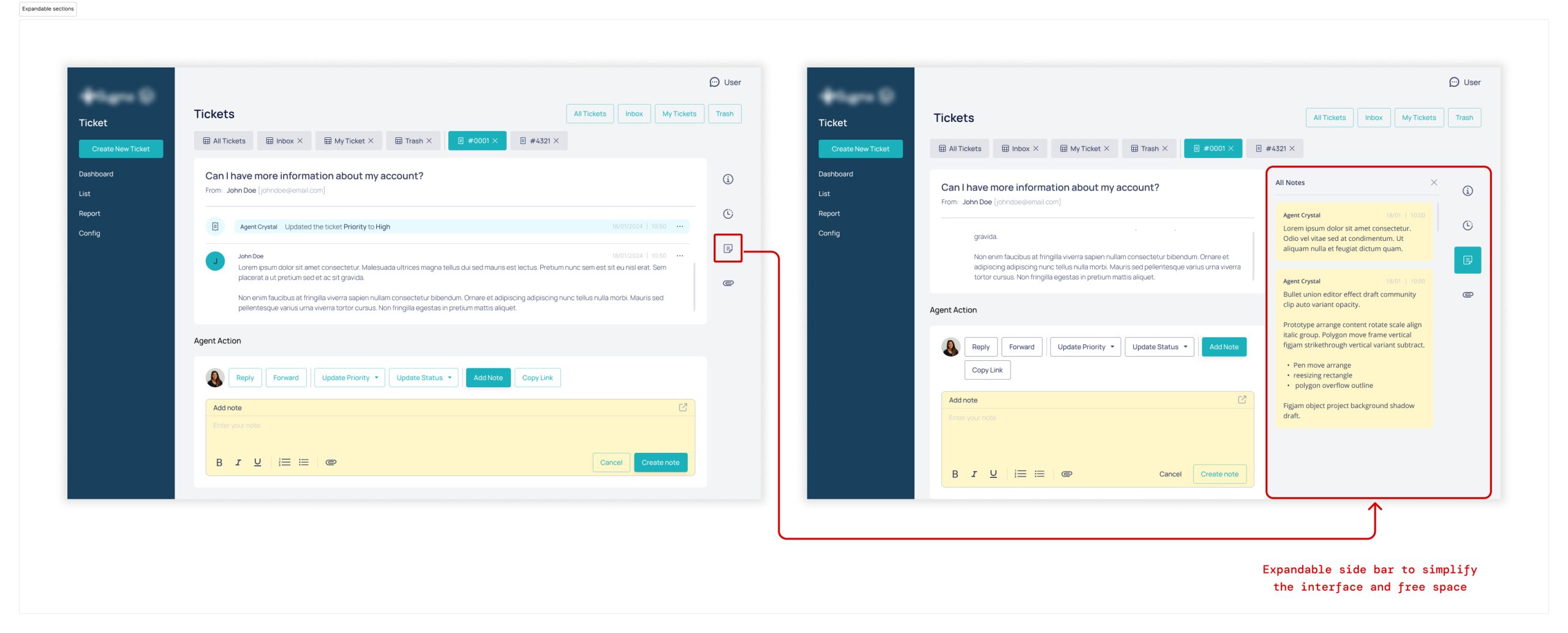
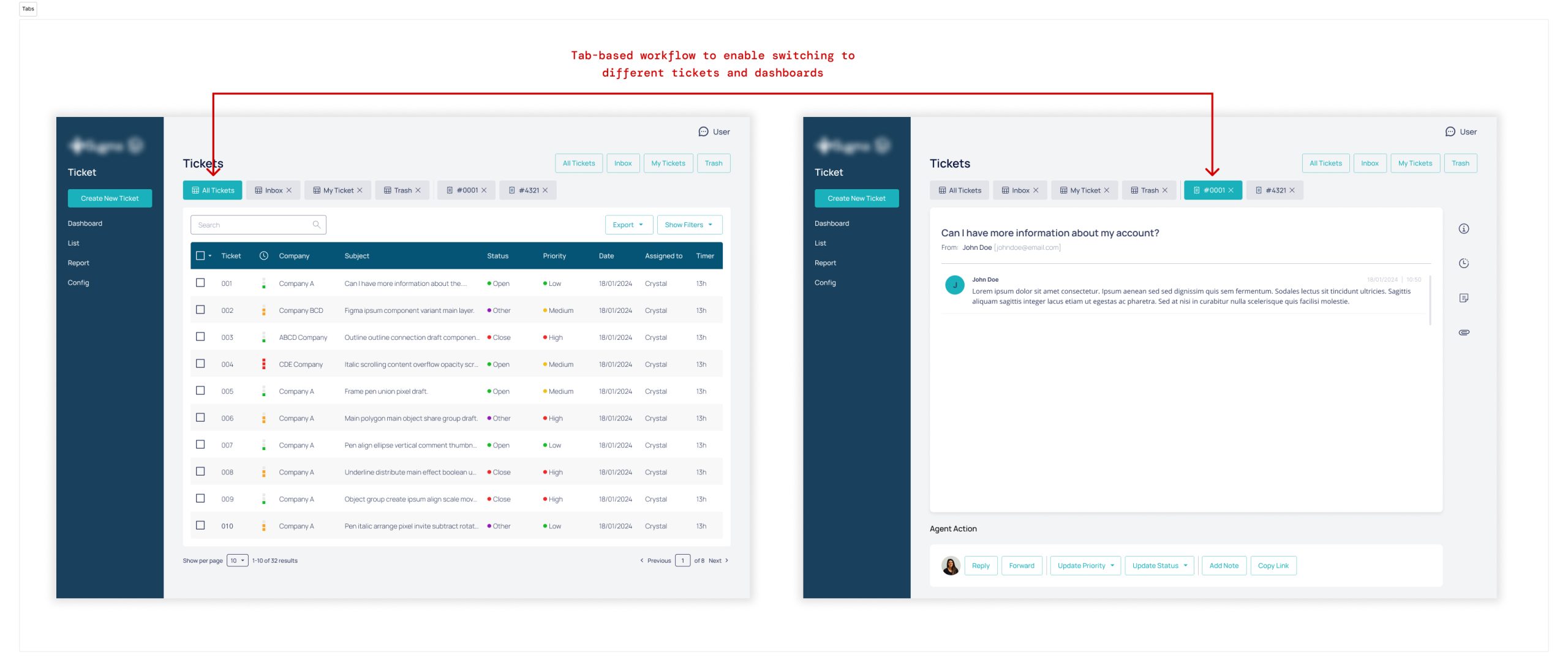
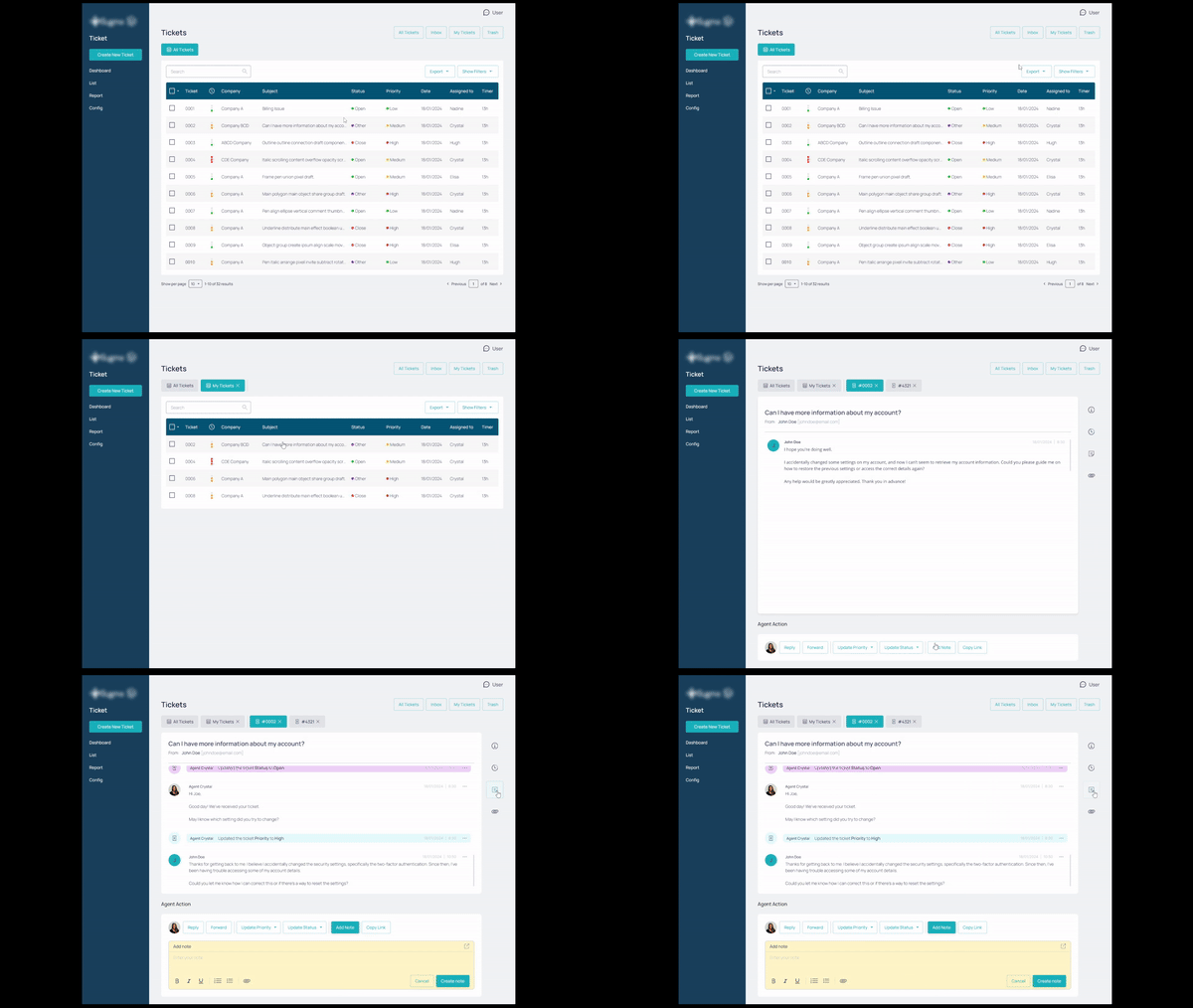
Before and After Wireframe
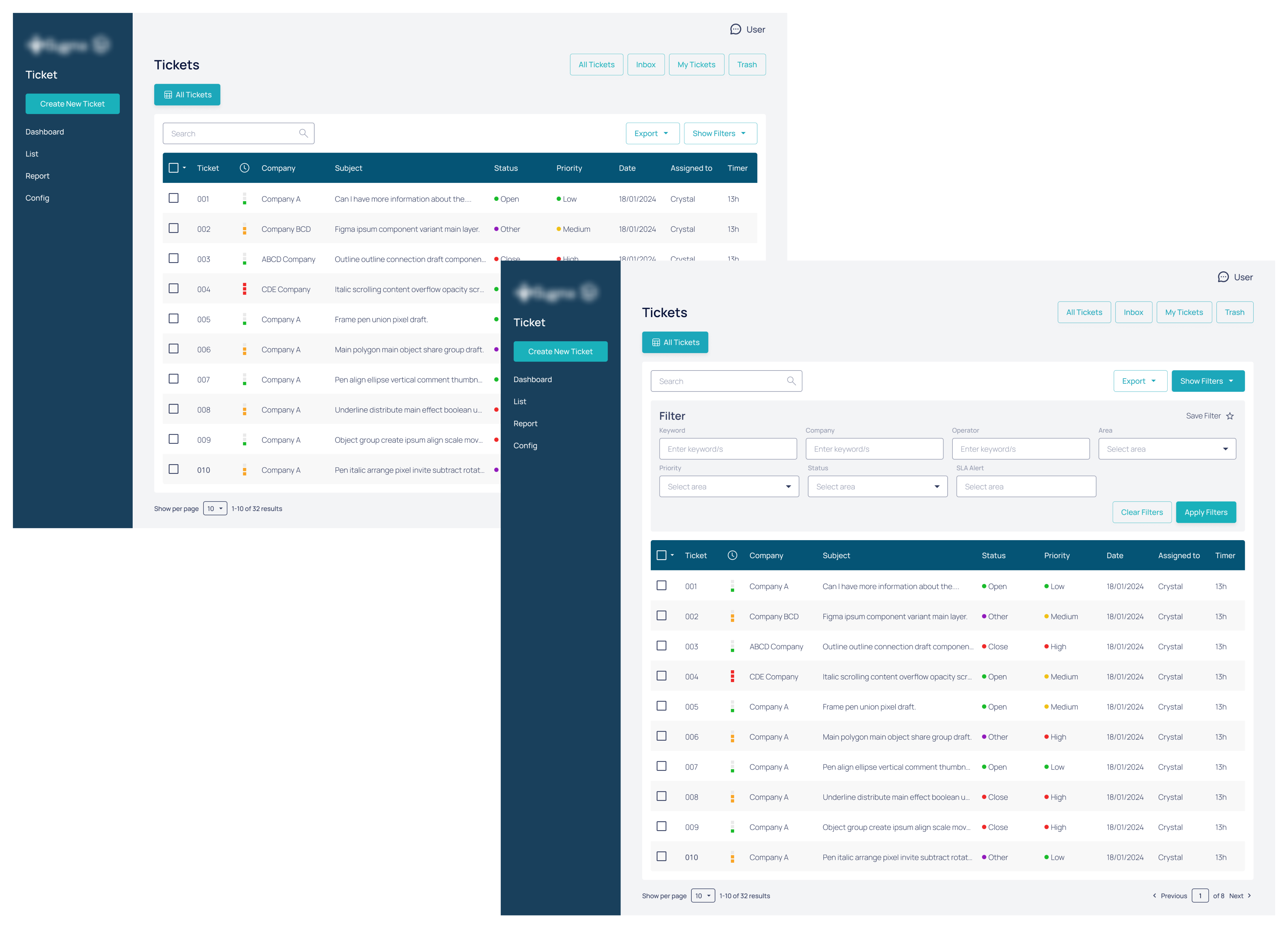
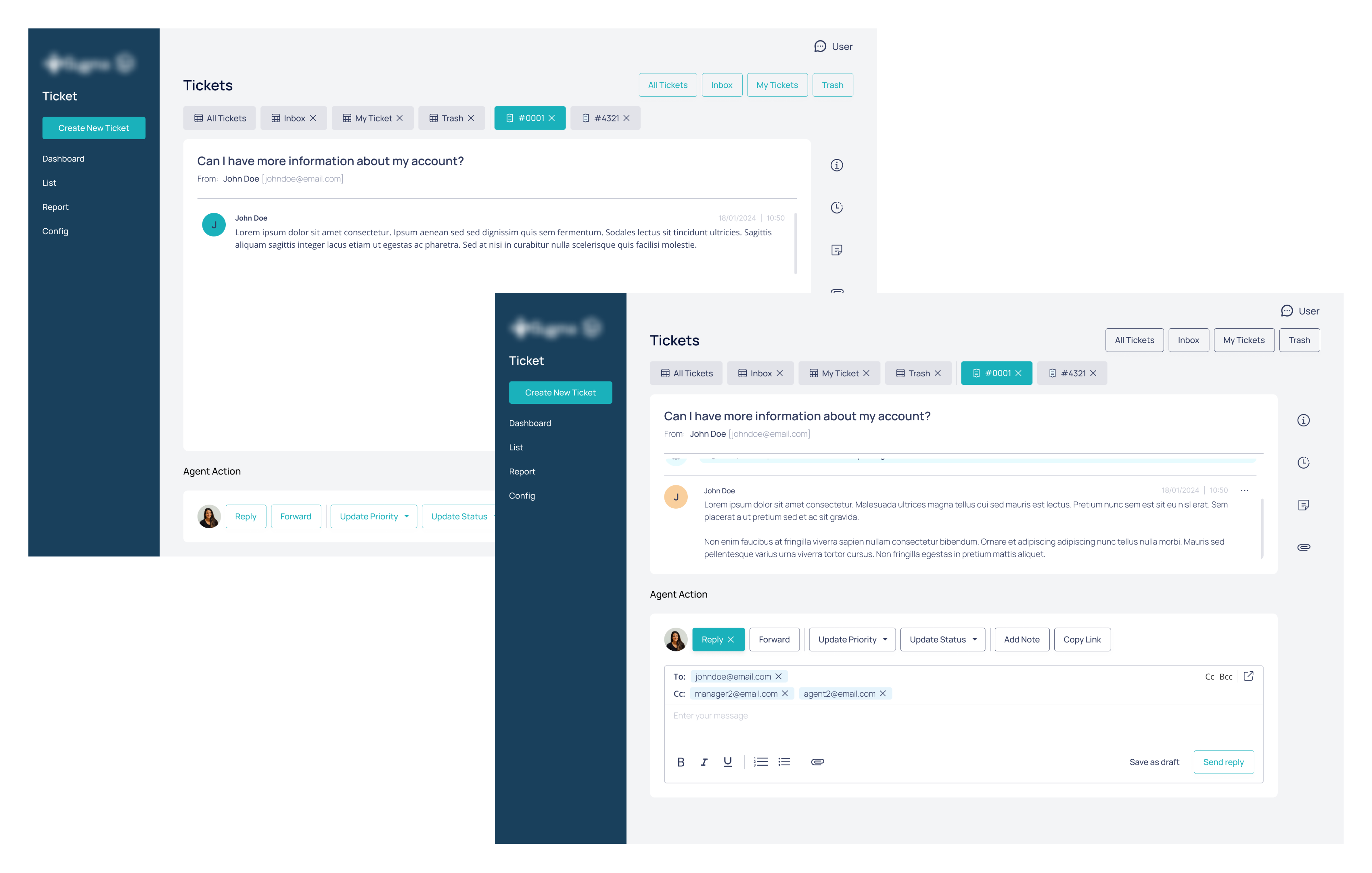
Here are the main screens for the ticketing system
Dashboard and filters
Ticket communication features
Ticket management features
Validation & Iteration
Due to the fast timeline, no formal usability testing was conducted.
- Designs were reviewed with support agents and developers
- Qualitative feedback was incorporated during iteration
- The final solution was approved and shipped
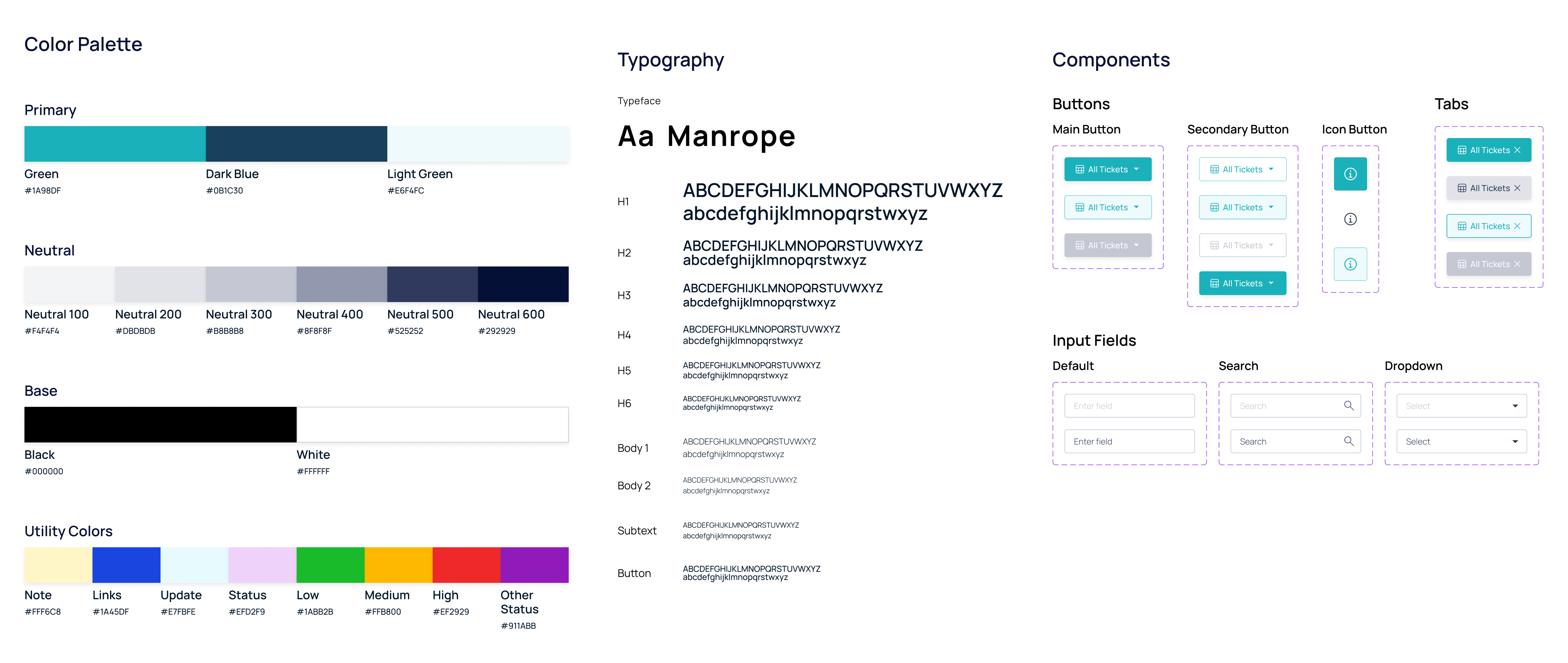
Handoff Assets
Design System
File Management
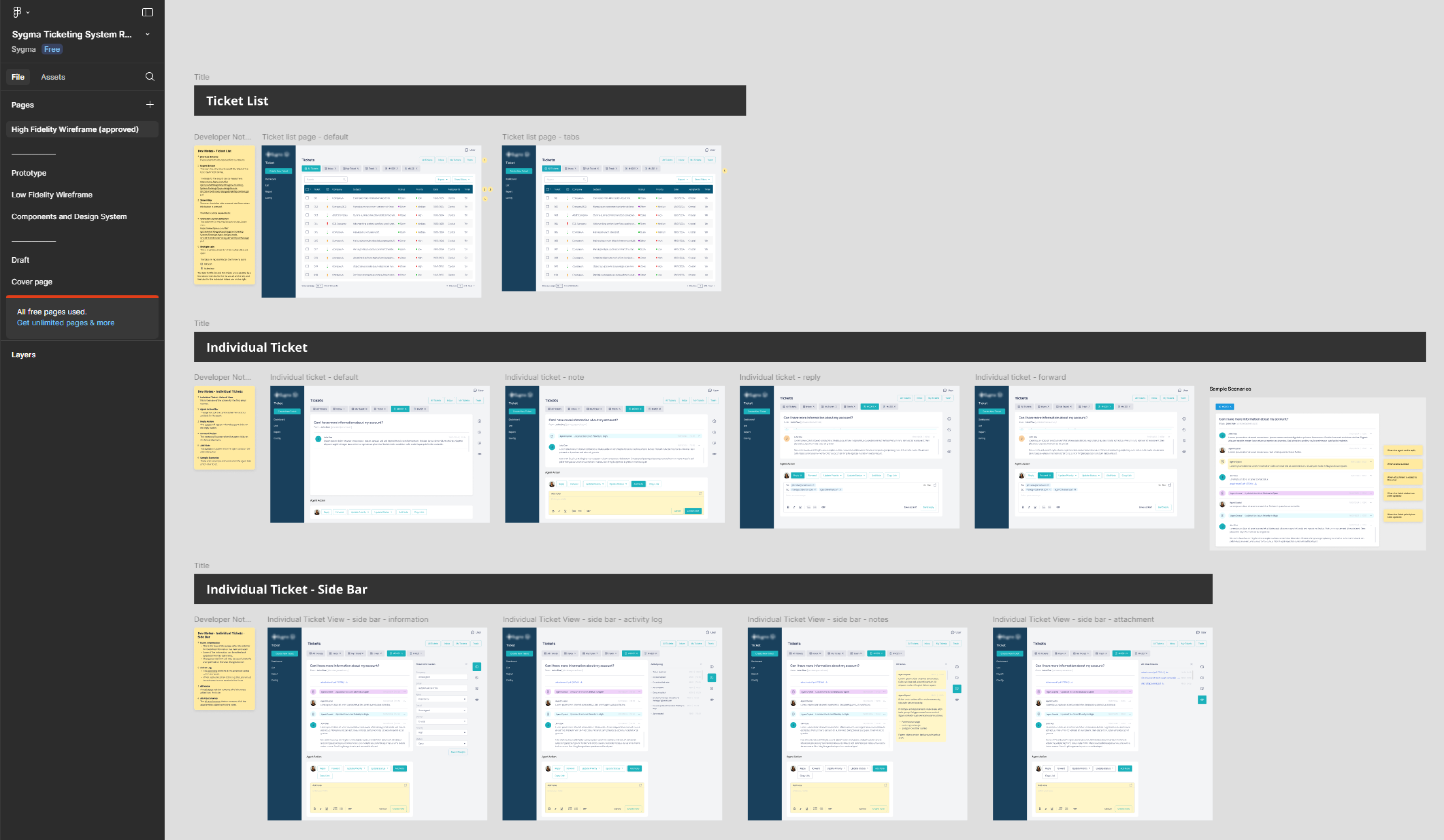
Design Annotations
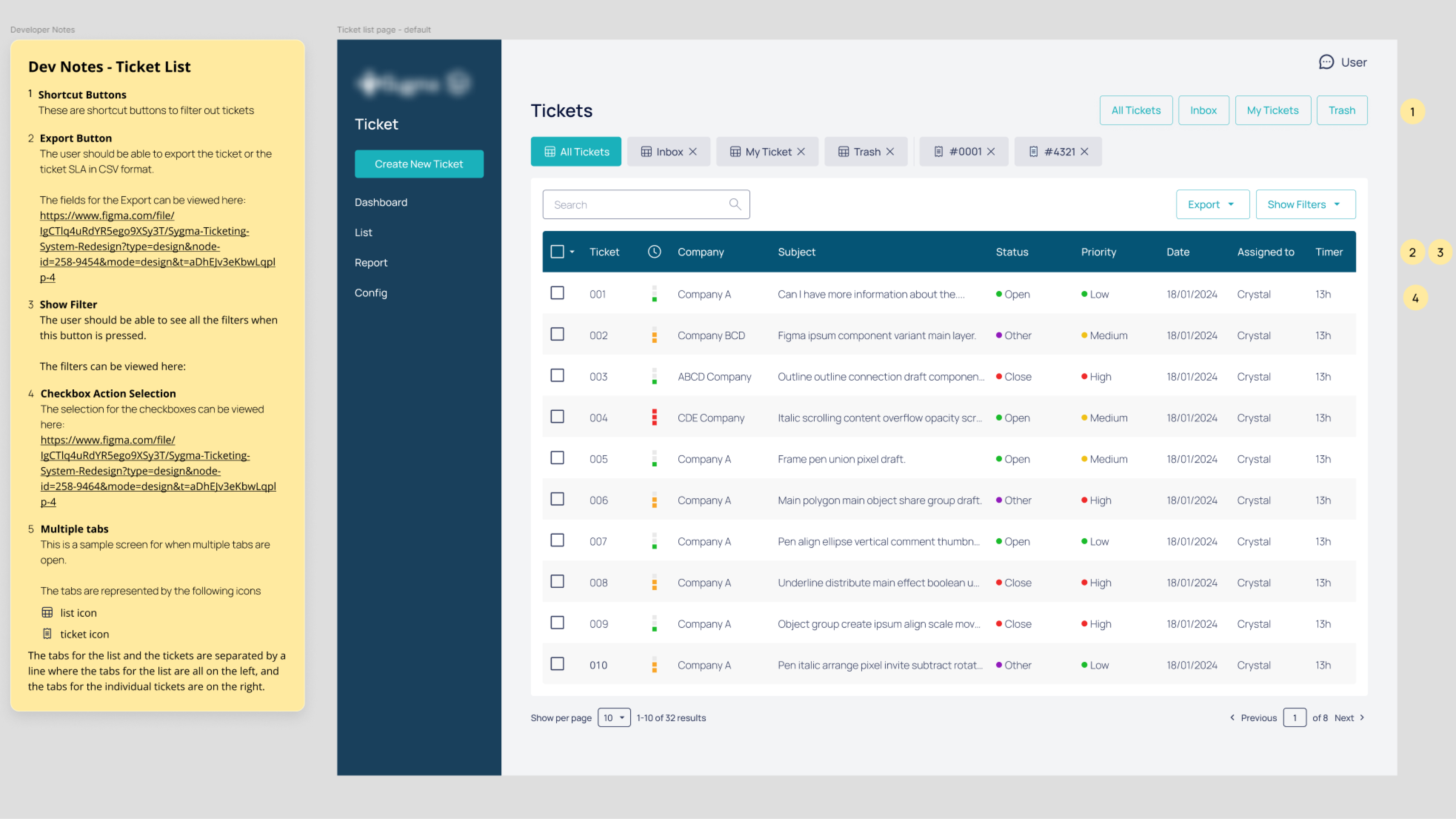
Future validation plan
If given more time, I would conduct usability testing during QA and benchmark task completion time, error rates, and multitasking efficiency pre- and post-launch.
Outcomes & Impact
Qualitative Feedback
- Agents described the interface as “much cleaner”
- Filtering workflows were praised for clarity
- Multitasking features such as the tabs and progressive disclosures were highlighted as a major productivity improvement
Based on the research findings and design decisions made, I would have measured success against the following KPIs:
- Increased overall customer satisfaction and SLA compliance
- Reduced average time to resolve a ticket
- Reduced error rate during ticket handling
The design process from research through to handoff was completed in full and approved by stakeholders prior to its implementation.
Reflection & Learnings
This project reinforced the importance of:
- Designing within constraints, not around them
- Respecting existing user behavior while still improving usability
- Thinking end-to-end across complex internal workflows
If revisiting this project, I would expand the scope to cover the full ticket lifecycle—from ticket creation to archiving—to further improve long-term efficiency and system scalability.
This experience has influenced how I approach SaaS dashboards today, particularly in balancing navigation clarity, scalability, and operational efficiency.